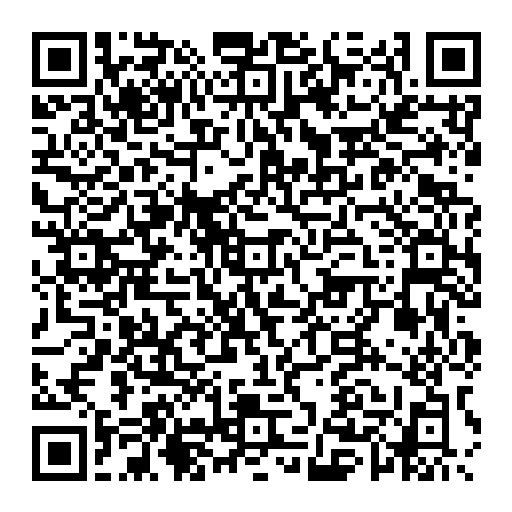
The code uses vCard 3.0, which is widely recognized by modern phone cameras and QR apps.
Save a contact in one scan
Free vCard QR Code Generator
Turn professional contact details into a standards-based QR code for business cards, badges, brochures, and event displays.
VCARD QR GENERATOR
Enter the contact details
Contact data stays in this browser
01
Contact cardName required; every other field optional
Contact card
A first or last name is required. Every other field is optional.
Include a name, company, title, phone, email, website, address, and note.
Scanning normally shows the contact first, so the recipient decides whether to add it.
Create a QR code for contact details
A vCard QR code makes it easier to transfer professional details from a printed business card, conference badge, booth display, sales sheet, or email attachment into a phone address book.
The QR code stores the contact fields directly and does not depend on a hosted profile. That also means it is static: if a phone number, email address, or company changes, create and distribute a new code.
vCard QR code questions
What happens when someone scans a vCard QR code?
Compatible phones display the encoded contact details and usually offer to save them as a new contact after the user reviews them.
Can I change the contact after printing the code?
A static vCard QR code stores the details directly. If they change, generate and print a new code.
Are my contact details uploaded?
No. The vCard and QR image are created locally in your browser and the contact fields are not sent to OmniKit.
Check the saved contact before printing business cards
- Use Sample for fictional details, or enter only the name, phone, and email you intend to share.
- Generate PNG or SVG. First decode the fictional contact sample to inspect its fields.
- Scan your own export on the recipient's phone and check whether it offers to save a contact.
- Review the saved name, phone, email, company, address, and note. Apps may ignore or rearrange fields.
- Scan a paper proof at the final print size before producing a batch. Retain strong contrast and the complete blank border.
Static contact QR limitations
Details are encoded directly. This tool does not provide an editable hosted profile, a photo field, or scan analytics. A changed phone number needs a new code and redistribution. We verified the fictional sample's encoding/decoding round trip; iPhone and Android address-book imports were not tested.
Download fictional contact QR · Inspect the source fields · Troubleshoot a failed scan